Skip to main content
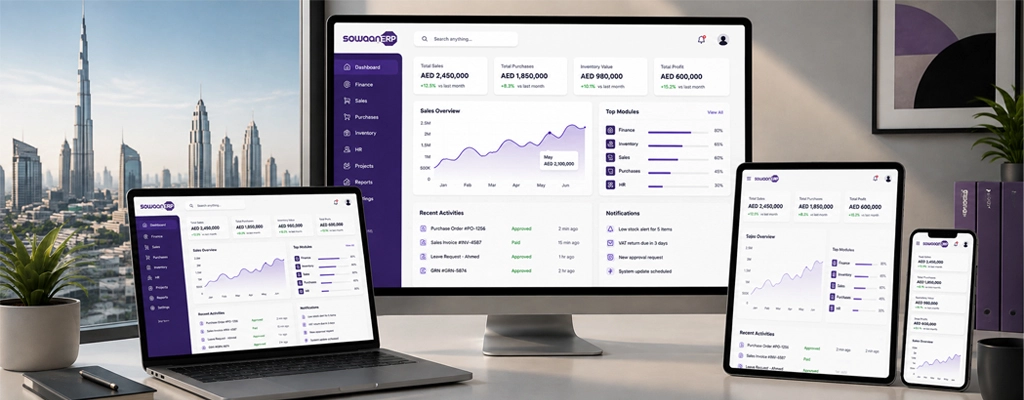
Today, Enterprise Resource Planning (ERP) software has grown beyond simply back-office inventory and accounting software to the digital backbone of organizations. Now, companies use the ERP Software to link finance, procurement, inventory, sales, human resources, customer management, operations and compliance under one roof.
However, with all the necessary modules doesn’t necessarily mean ERP will be successful.
Even if an ERP is technically complete, it can be considered a failure if it is not easy for employees to use.
That is where ERP software UX turns into a business concern and not just a design concern. A well-designed ERP will provide employees with more speed and ease in accessing information, less repetitive effort in routine tasks, better visibility on what is needed, and greater confidence to operate without relying on IT support.
The same holds true when the UX is not good. Complicated navigation, too many clicks, inconsistent workflows, slow pages and cluttered dashboards can cause the need for more training, user frustration, spreadsheet workarounds and an eventual decline in ERP adoption.
But, for businesses in the UAE, it goes a step further. An ERP could involve Arabic and English interface, right to left (RTL) layout, VAT/Corporate Tax, e-invoicing, WPS payroll process, and multi-company operations.
TL;DR: What Makes ERP Software Easy to Use?
Any tasks within a business should be straightforward, and easily predictable, but also fast and easy to get wrong – unless it is a user-friendly ERP that is used.
UX Capability | Why It Matters |
|---|---|
Role-based dashboards | Shows users information relevant to their responsibilities |
Minimal-click workflows | Reduces time spent on repetitive activities |
Global search | Helps employees find business information quickly |
Consistent navigation | Makes the system easier to learn |
Mobile responsiveness | Supports work across different devices |
Real-time notifications | Helps users act on important events |
Fast performance | Prevents interruptions during daily work |
Arabic, English & RTL | Supports multilingual UAE workforces |
AI-powered interaction | Makes business information easier to access |
Localized workflows | Simplifies regional business requirements |
Great ERP UX isn’t about creating pretty software. It’s about minimizing the resistance between an employee and the job he or she must do.
So What is ERP Software UX?
ERP software UX is a term that represents the entire experience that people have with an ERP system.
It contains the UI, but is way more. ERP UX takes into account the ease of use of the system, the ability to find information, perform actions, understand the workflow, err and recover and access various parts of the system.
Key components include:
- Usability
- Navigation
- Accessibility
- Search
- Workflow design
- Information architecture
- Performance
- Personalization
- Error prevention
- Mobile experience
- Notifications and feedback
This is another key difference between UI and UX.
UI (User Interface) is mainly concerned with the visual appearance of the software and the way in which the UI elements are presented.
UX (User Experience) is the effectiveness of user goal completion.
Even if an ERP is equipped with fancy dashboard, modern icons and nice interface, but still, it takes 7 screens for employees to approve a purchase order then that ERP has a bad user experience.
In simple terms:
The appearance of an ERP is a result of UI. UX impacts how easy it is for employees to use it.
Remember, you’re evaluating ERP UX based not on its looks but on its ability to get things done, user ease, clarity and efficiency.
How does ERP UX Directly Impact Adoption, Productivity & ROI?
Investing in ERP is an investment in software, training, redesigning processes, and changing the organization. But that investment isn’t really an investment until people are using the system to their advantage.
That’s why UX can be directly related to ERP ROI.
A complicated user experience can result in employees overlooking some functions, making mistakes, having to rely on other personnel or having to work around ERP.
A great ERP experience can help to:
- Faster employee adoption
- Lower training requirements
- Fewer support requests
- Better data accuracy
- Higher operational efficiency
- Improved cross-department collaboration
- Greater long-term ROI
The connection can be rather simply summarized:
Better UX = Easier adoption = More consistent use = Better data = Better decisions = Higher ROI.
Faster Employee Adoption
When the workflows of the new ERP system are intuitive, employees are more likely to accept the new system.
An ERP with:
- Simple navigation menus
- Familiar interface patterns
- Logical workflows
- Guided processes
- Personalized workspaces
can help to smooth out the initial learning curve.
This is especially vital for companies that constantly recruit new employees, or have multiple locations and branches.
When viewing an ERP demo, don’t just ask, “Does the system have this feature?” Inquire: “Would a new hire be able to use this function without a lot of instruction?”
Reduced Training & Onboarding expenses:
ERP implementation is usually a substantial amount of training as your staff needs to be taught both the business process and then how to perform the process within the ERP solution.
The second challenge can be reduced by good UX.
Contextual help, clear labelling, guided processes, consistent format and intuitive navigation enable users to learn the system as they use it.
This can assist organizations:
- Reduce onboarding effort
- Have employees working sooner
- Minimize reliance on IT support services
- Improve user confidence
- Automate processes for team consistency
For an organisation with these high rates of hiring or many sites, every little bit of onboarding can make a huge difference in operational savings.
Less Errors, More Productivity:
ERP systems are utilized on a regular basis during the day. A minor usability issue that happens on hundreds of transactions can easily turn into a significant operational expense.
Let’s take a look at a purchasing workflow.
A purchasing officer should be able to:
Find supplier, check inventory, create purchase order and submit for approval.
It’s a hassle for users when they have to find irrelevant menus, re-enter the same data, or hunt through various screens on screen for the right action.
The same rule holds true for finance teams that are interacting with:
- Outstanding invoices
- Tax calculations
- Payment status
- Approval history
- Financial reports
The objective isn’t simply to reduce clicks. To make each step obvious and deliberate.
Employees face challenging workflows repeatedly, they might resort to using spreadsheets, emails or manual records as a work-around. This can negatively impact the ERP’s function as one source of information for business.
Better Cross-Department Collaboration:
While an ERP is a software solution that links up departments, connected software does not mean connected teams.
There are varying workflows and priorities across finance, HR, procurement, inventory, sales and operations. These departments will find it easier to work with the shared information, thanks to a consistent ERP experience.
For example:
- Sales can view up to date data about customers.
- Procurement is able to view requirements for purchases.
- Stocks can be tracked using inventory.
- Finance has the opportunity to monitor financial obligations.
- Consolidated performance can be viewed by Management.
Easier access to information and more clearly understood workflows lead to reduced time spent wondering where information is stored, and more time spent working with information.
Higher Long-Term ROI:
The number of modules a business buys doesn’t necessarily dictate ERP ROI.
It also requires usage of the capabilities on the part of the employees.
While a system may have advanced reporting, if it is too complex for employees to navigate, it won’t provide as much value as one that users can easily access and act upon the information they need.
ERP functionality creates potential value. Good UX helps employees realize that value.
What Are the 7 Essential UX Features Every Modern ERP Should Have?
Not all ERP platforms offer the same user experience. Some prioritize functionality while leaving users to navigate complex interfaces. Modern ERP systems need to combine depth of functionality with ease of use.
Here are seven UX capabilities businesses should evaluate when selecting an ERP.
Role-Based & Personalized Dashboards:
A finance manager does not need the same information as a warehouse supervisor.
Likewise, an HR executive, sales representative, and CEO have completely different priorities.
Role-based dashboards solve this by showing users information that is relevant to their responsibilities.
For example:
User | Relevant Dashboard Information |
|---|---|
Finance | Cash flow, receivables, payables |
HR | Attendance, payroll, leave |
Warehouse | Stock levels, reorder alerts |
Sales | Opportunities, revenue forecasts |
Management | KPIs and business performance |
The purpose of personalization isn’t simply to give users more customization.
It is to remove irrelevant information so employees can focus on what actually matters to their jobs.
A good ERP dashboard should answer the user’s most important questions before they have to search for the answers.
Mobile-First, Cross-Device Access:
Modern business doesn’t happen exclusively at a desk.
Managers may need to approve requests while traveling. Sales teams may need customer information while visiting clients. Executives may want to check business KPIs from a smartphone.
ERP UX should therefore work effectively across:
- Desktops
- Laptops
- Tablets
- Smartphones
- Remote working environments
The goal isn’t necessarily to duplicate every desktop feature on a small screen. Instead, mobile UX should prioritize the actions employees realistically need to perform when away from their desks.
When evaluating mobile ERP UX, test actual workflows rather than simply checking whether the vendor has a mobile application.
Minimal-Click Task Completion:
Every unnecessary interaction adds friction.
Common ERP tasks should follow clear and efficient workflows, including:
- Creating invoices
- Approving leave
- Processing purchase orders
- Recording expenses
- Updating customer information
- Checking inventory
A useful benchmark is to keep frequent, straightforward tasks within a small number of meaningful steps wherever possible.
For example:
Poor UX:
Open module → find submenu → search record → open record → locate action → open form → enter information → confirm.
Better UX:
Search record → select action → complete task.
However, fewer clicks should not mean removing necessary validation or security.
Don’t optimize an ERP for fewer clicks at the expense of accuracy. The goal is efficient workflows, not an artificially low click count.
Smart Search & Global Navigation:
Employees shouldn’t have to memorize where every piece of information lives.
A powerful global search should make it easy to find:
- Customers
- Vendors
- Products
- Purchase orders
- Employees
- Reports
- Financial transactions
This becomes increasingly important as organizations accumulate more data.
Instead of asking:
“Which module contains this information?”
users should be able to simply ask:
“Where is this information?”
That reduces cognitive load and allows employees to focus on their actual work.
Consistent Navigation & Design:
Consistency is one of the foundations of good enterprise UX.
If every module uses a different navigation structure, users have to repeatedly learn how the system works.
A consistent ERP should have:
- Standardized buttons
- Predictable menus
- Consistent icons
- Uniform page layouts
- Clear typography
- Logical status indicators
- Familiar interaction patterns
When users understand how one part of the ERP works, that knowledge should transfer naturally to another.
Users shouldn’t have to relearn the interface every time they switch from finance to inventory, HR, sales, or procurement.
Real-Time Notifications & Status Indicators:
Employees shouldn’t need to constantly check different modules to discover whether something requires their attention.
A modern ERP can surface events such as:
- Pending approvals
- Low inventory levels
- Overdue invoices
- Purchase order updates
- Payment confirmations
- Project milestones
- Customer requests
Status indicators also make workflows easier to understand.
For example:
Pending → Approved → Completed
or:
Draft → Submitted → Rejected
Users can immediately understand where a process stands and what action comes next.
Notifications should be actionable. Instead of simply telling users that something happened, a useful notification should make it clear what happened and what they can do about it.
Fast Performance & Responsive Interactions:
Performance is often considered a technical concern, but users experience it as part of UX.
A beautiful dashboard becomes frustrating if employees have to wait several seconds every time they open it.
Modern ERP UX should prioritize:
- Fast page loading
- Responsive search
- Smooth dashboards
- Efficient report generation
- Minimal waiting between tasks
A sub-two-second response can be a useful target for frequently performed interactions, although actual performance expectations depend on the task, network, infrastructure, and workload.
A slow ERP can frustrate employees and encourage them to return to spreadsheets or manual processes.
What ERP UX Requirements Matter Most in the UAE?
For UAE businesses, great ERP UX isn’t limited to clean dashboards and intuitive navigation.
The software must also make local business requirements easier to manage.
This includes considerations such as:
- Arabic and English interfaces
- Full RTL support
- VAT workflows
- Corporate Tax processes
- E-invoicing readiness
- Payroll requirements
- Multi-company management
- Multi-branch operations
A globally designed ERP may offer strong usability but still require substantial localization before it fits the needs of a UAE organization.
The question, therefore, isn’t simply:
“Is this ERP easy to use?”
It is:
“Is this ERP easy to use for the way our business operates in the UAE?”
Bilingual Arabic & English Interfaces With Full RTL Support:
For a multilingual workforce, bilingual ERP support should be more than translated menus.
Users should be able to switch between Arabic and English without losing context or encountering inconsistent workflows.
A well-designed bilingual ERP should support:
- English and Arabic navigation
- Full RTL page layouts
- Multilingual forms
- User-selectable language preferences
- Localized reports
- Consistent data presentation
UX Requirement | Business Benefit |
|---|---|
Arabic & English interface | Supports multilingual teams |
RTL compatibility | Improves readability |
Localized reports | Simplifies communication |
Language switching | Improves accessibility |
Arabic support should be treated as a complete UX experience, not simply a translation layer placed over an English interface.
VAT, Corporate Tax & E-Invoicing Within Daily Workflows:
Compliance should not feel like a separate administrative task.
The best ERP experience integrates relevant regulatory processes into the workflows employees already use.
For UAE organizations, this can include:
- VAT calculations
- Corporate Tax workflows
- E-invoicing
- Financial reporting
- Audit documentation
- Tax record management
When these capabilities are embedded into everyday processes, employees don’t have to repeatedly switch between systems or manually calculate information that the ERP can handle.
Compliance Feature | UX Advantage |
|---|---|
VAT automation | Reduces manual calculations |
Corporate Tax workflows | Simplifies recurring processes |
E-invoicing integration | Streamlines invoice processing |
Automated checks | Helps reduce user errors |
Centralized records | Makes information easier to retrieve |
UAE tax and e-invoicing requirements can change, and specific obligations depend on the organization. ERP configurations should therefore be checked against the latest official requirements before implementation.
WPS Payroll & Multi-Company Management
Many UAE organizations operate multiple legal entities, branches, retail outlets, or business units.
As organizational complexity increases, ERP UX becomes even more important.
Users may need to manage:
- Multiple legal entities
- Multiple branches
- Employee records
- Payroll
- Shared financial reporting
- WPS payroll processes
- Consolidated dashboards
The objective should be to provide centralized control without creating a confusing interface.
Business Requirement | UX Benefit |
|---|---|
WPS payroll integration | Streamlines salary processing |
Multi-company support | Centralizes management |
Multi-branch operations | Simplifies reporting |
Unified dashboards | Improves visibility |
Scalability isn’t just about whether the ERP can support more companies. It’s also about whether employees can continue using the system comfortably as organizational complexity increases.
What Will ERP UX Look Like in 2026?
ERP user experience is moving beyond dashboards, menus, and forms.
The next generation of ERP systems is increasingly designed to help users find information, understand what it means, and decide what to do next.
Traditional ERP interaction often looks like:
Search → Open module → Apply filters → Review data → Make a decision
AI-enabled ERP UX is moving toward:
Ask → Understand → Act
This shift is being driven by AI copilots, natural-language search, predictive analytics, proactive alerts, and no-code customization.
AI Copilots & Natural-Language ERP Search:
One of the most important developments in ERP UX is the ability to interact with business information using natural language.
Instead of navigating through multiple modules and reports, users can ask questions such as:
“Show overdue customer invoices.”
“Which products are low in stock?”
“What were our sales last month?”
“Which purchase orders are waiting for approval?”
The objective is not simply to add a chatbot to the ERP. A well-integrated AI experience should understand the user’s request, retrieve relevant business information, and present it in a useful context.
AI can also assist with:
- Drafting reports
- Explaining financial data
- Summarizing business performance
- Recommending next actions
- Answering user questions
- Supporting repetitive data-entry activities
- Identifying unusual patterns
This can make ERP systems considerably more approachable for employees who aren’t technical or familiar with complex reporting tools.
When evaluating AI capabilities, ask what the AI can actually do inside the ERP, not just what questions it can answer.
For example, there is a major difference between an AI assistant that says:
“Your outstanding receivables increased this month.”
and one that can also help the authorized user identify the invoices responsible, summarize the situation, and initiate the appropriate workflow.
Predictive Analytics & Proactive Alerts:
Traditional ERP systems primarily help organizations understand what has already happened.
Modern ERP UX increasingly aims to help them understand what could happen next.
Predictive analytics can surface potential issues involving:
- Declining inventory
- Delayed customer payments
- Cash-flow risks
- Sales trends
- Supplier performance
- Demand forecasting
Instead of waiting for a manager to discover that inventory is approaching a critical level, the ERP can proactively surface the issue.
Instead of simply showing historical sales, it can help users identify emerging patterns.
This changes the role of ERP UX from a passive information interface into a more proactive decision-support environment.
The best alerts should be relevant and actionable. An ERP that generates hundreds of notifications without prioritization can create another form of information overload.
No-Code Customization:
Businesses change constantly.
A company may introduce a new approval process, change its reporting structure, add a new business unit, or modify how certain transactions are handled.
Historically, even relatively small ERP changes could require developer involvement.
No-code and low-code capabilities are changing that model by allowing authorized business users to configure certain parts of the system without traditional programming.
Examples include:
- Creating approval workflows
- Designing custom forms
- Building dashboards
- Automating notifications
- Configuring reports
- Adding business rules
The UX benefit is adaptability.
Instead of forcing employees to work around an ERP that no longer matches their processes, businesses can adjust selected workflows as their requirements evolve.
Customization should not mean unlimited customization. Poorly governed changes can create inconsistent processes and make the ERP harder to understand.
How Can You Measure ERP UX Before Purchasing?
ERP vendors naturally want to demonstrate their software at its best.
A polished demo can make almost any system appear easy to use.
But a sales presentation is not the same as real-world user testing.
Before purchasing an ERP, businesses should evaluate how easily actual employees can complete their everyday tasks.
Don’t evaluate ERP UX based only on screenshots, feature lists, or a vendor-led presentation. Put the people who will actually use the software in front of it.
Conduct Real-User Testing During the Demo:
Instead of asking the vendor to demonstrate every feature, give them realistic business scenarios.
For example, ask users to:
- Create a sales order
- Prepare a financial report
- Approve employee leave
- Locate an inventory item
- Review sales performance
- Create or review a purchase order
- Find an outstanding invoice
Then observe what happens.
Ask:
- Can users complete the task without assistance?
- Can they find the relevant buttons?
- Does the workflow make sense?
- How many steps are required?
- Do users make mistakes?
- Do they need to ask for help?
- Can they understand what happens next?
The important thing is to observe user behavior rather than vendor explanations.
A vendor might tell you that a workflow is “simple.”
Your employees should be the ones who determine whether it actually is.
ERP UX Demo Checklist:
Use the following checklist when evaluating an ERP:
☐ Can users complete common tasks efficiently?
☐ Is navigation intuitive?
☐ Is the interface consistent across modules?
☐ Can users find information quickly?
☐ Are dashboards relevant to each role?
☐ Does the ERP work well on mobile devices?
☐ Can users complete workflows with minimal training?
☐ Does Arabic/English switching work naturally where required?
☐ Does the system provide appropriate RTL support?
☐ Are relevant compliance workflows integrated?
☐ Is search fast and useful?
☐ Does the system remain responsive during realistic workloads?
Ask employees to perform the tasks without being guided by the vendor representative. Their first interaction with the system will reveal usability problems that a scripted demonstration can hide.
Why Should End Users Be Involved in ERP Selection?
ERP purchasing decisions are often driven by senior management, IT departments, or procurement teams.
These stakeholders are important, but they aren’t necessarily the people who will spend several hours every day using the system.
That distinction matters.
A CEO may care about consolidated dashboards and business visibility.
A finance employee may care about invoice processing and tax workflows.
A warehouse employee may care about how quickly inventory transactions can be recorded.
A salesperson may care about how quickly customer information can be accessed.
All of them are evaluating the same ERP—but from completely different UX perspectives.
Don’t Let IT & Management Make the Decision Alone
End users from different departments should participate in the evaluation process.
Consider involving:
- Finance
- Human Resources
- Procurement
- Inventory
- Sales
- Operations
- Customer Service
Their feedback can reveal usability problems before the organization commits to implementation.
More importantly, involving employees early can help build trust in the new system.
Ask each department to identify its five most frequent ERP tasks and test those tasks during the vendor evaluation.
Every Department Has Different UX Priorities
Department | Primary UX Priority |
|---|---|
Finance | Reporting, invoices, tax workflows |
HR | Payroll, attendance, employee records |
Procurement | Suppliers, purchase orders, approvals |
Warehouse | Inventory transactions and stock visibility |
Sales | Customer data and sales activities |
Operations | Workflow visibility and process management |
Management | KPIs, dashboards, consolidated reporting |
The objective isn’t to find an interface that makes one department happy.
It’s to find an ERP experience that works across the organization without creating unnecessary complexity for different user groups.
Include end users before selecting the ERP, not after implementation has already been decided.
How Do You Test ERP UX for Scalability?
An ERP that feels easy to use with 20 employees may not feel equally easy when the business has 500 employees, several branches, multiple legal entities, and significantly more transactions.
That is why UX should be evaluated for future scale, not only current requirements.
Ask whether the interface remains manageable as the organization grows.
Test whether the ERP can handle:
- More users
- More transactions
- Additional branches
- Multiple companies
- New departments
- Additional workflows
- More complex permissions
- Growing reporting requirements
You should also ask:
- Does the dashboard remain easy to understand as more data is added?
- Can new employees be onboarded without excessive training?
- Can permissions be managed without unnecessary complexity?
- Can workflows be modified as processes evolve?
- Does performance remain stable as transaction volume increases?
- Can users still find information quickly?
Scalability isn’t only about database capacity or server performance. An ERP should also scale in usability.
If the system becomes increasingly difficult to navigate as your organization grows, technical scalability alone isn’t enough.
What Are the Biggest ERP UX Mistakes Businesses Should Avoid?
Even organizations that understand the importance of UX can make mistakes during ERP selection and implementation.
Here are some of the most common.
Choosing Features Over Usability:
A long feature list can be impressive, but more functionality doesn’t automatically create a better ERP.
A business may never use half of the features it purchases.
Meanwhile, employees may struggle with the five workflows they use every day.
Prioritize the quality of everyday workflows over the sheer number of features.
Ignoring End Users:
Selecting an ERP without involving employees can create adoption problems later.
The people who use the system daily often identify usability issues that management won’t see during a high-level demonstration.
Overloading Dashboards:
More information isn’t always better.
A dashboard filled with charts, KPIs, notifications, and widgets can make important information harder to identify.
The best dashboards prioritize relevance over quantity.
Adding Too Many Steps to Simple Tasks:
If an employee creates hundreds of invoices every month, even a small amount of unnecessary interaction gets multiplied.
High-frequency workflows deserve particularly close UX attention.
Treating Arabic as Simple Translation:
For UAE businesses, replacing English labels with Arabic isn’t enough.
RTL layouts, forms, navigation, reports, and interaction patterns need to work naturally in Arabic.
Ignoring Mobile UX:
Employees increasingly work outside traditional office environments.
An ERP that works well only on a desktop may create unnecessary friction for managers, sales teams, and field employees.
Assuming AI Automatically Improves UX:
AI can make ERP software easier to use—but poorly designed AI can also create confusion.
Organizations should evaluate:
- Accuracy
- Context
- Permissions
- Transparency
- Human oversight
- Actionability .
An AI feature isn’t automatically a good UX feature. It needs to solve a genuine user problem.
ERP UX Evaluation Checklist for 2026:
Before choosing an ERP, evaluate it across five areas.
Usability:
☐ Intuitive navigation
☐ Consistent interface
☐ Efficient workflows
☐ Global search
☐ Clear error messages
Personalization:
☐ Role-based dashboards
☐ Configurable workspaces
☐ Relevant notifications
☐ User-specific permissions
Accessibility:
☐ Responsive mobile experience
☐ Arabic and English support
☐ Full RTL functionality
☐ Accessible forms and reports
UAE Requirements:
☐ VAT workflows
☐ Corporate Tax capabilities
☐ E-invoicing readiness
☐ WPS-related payroll processes
☐ Multi-company support
☐ Multi-branch management
AI & Automation:
☐ Natural-language search
☐ AI assistance
☐ Predictive insights
☐ Proactive alerts
☐ Workflow automation
☐ No-code/low-code customization
Validation:
☐ Real-user testing
☐ Departmental feedback
☐ Real-world workflow testing
☐ Performance testing
☐ Scalability testing
Final Verdict: What Actually Makes an ERP Easy to Use?
The best ERP isn’t necessarily the system with the longest feature list.
It is the system that allows employees to complete the work they need to do with minimal friction.
In 2026, that means ERP UX should:
Reduce cognitive load → simplify workflows → surface relevant information → prevent errors → adapt to different users → remain fast → support local requirements → intelligently assist employees.
The evolution of ERP UX is ultimately about moving away from software that requires employees to learn how the system thinks.
Instead, the system should increasingly adapt to how employees work.
For UAE organizations, this also means going beyond generic usability. Arabic and RTL support, localized compliance workflows, payroll requirements, multi-company management, and AI-assisted operations all need to work together within a consistent user experience.
 Best Practice: When evaluating an ERP, don’t ask only:
“Does it have the features we need?”
Ask:
“Can our employees use those features quickly, confidently, and accurately every day?”
That is the difference between an ERP that simply contains business functionality and one that actually helps the business operate better.
Looking for an ERP Designed Around How Your Business Works?
The right ERP should make everyday operations easier—not add another layer of complexity.